
Bookmarking your Personalized link as an APP on your phone is an easy way to log your daily activity.
If you have an iPhone, please follow these instructions (Thanks to RAT Kim Lancaster for the screenshots)
-
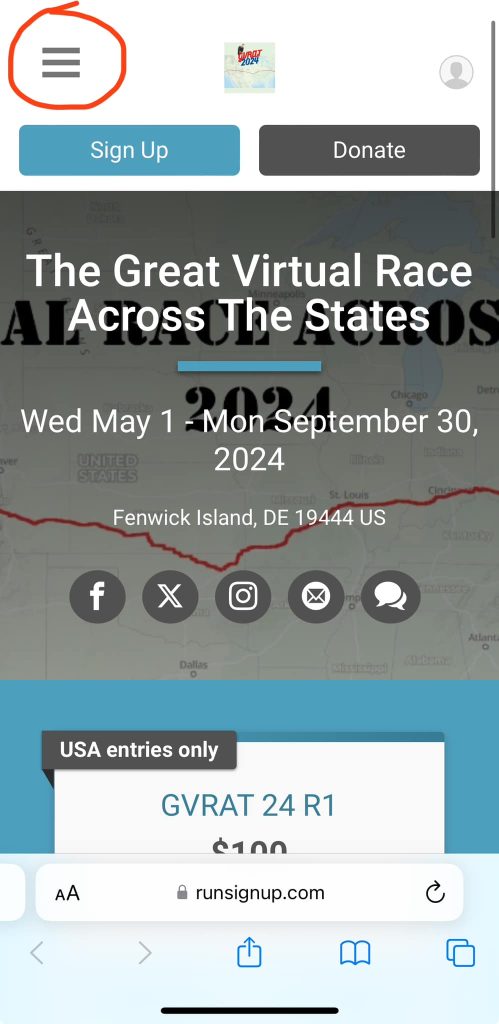
Click on top left corner
-
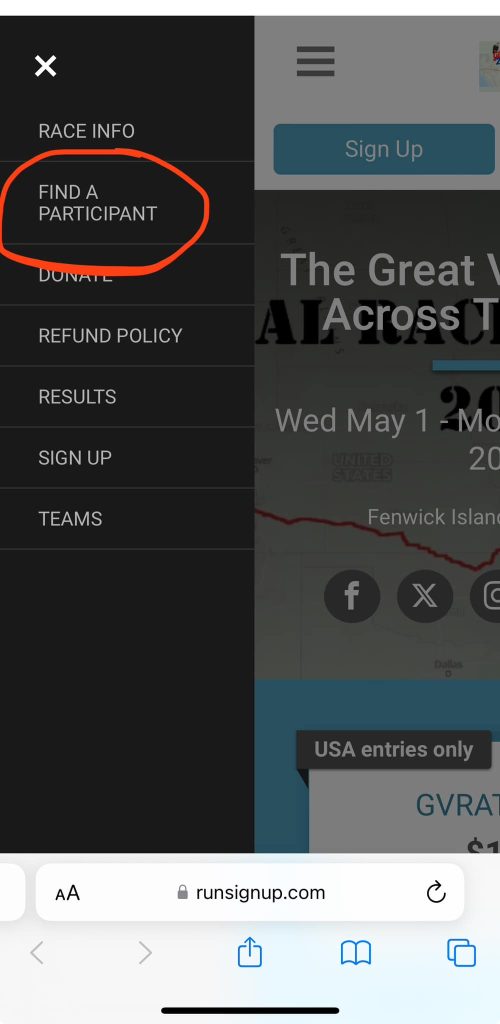
Choose Find a participant
-
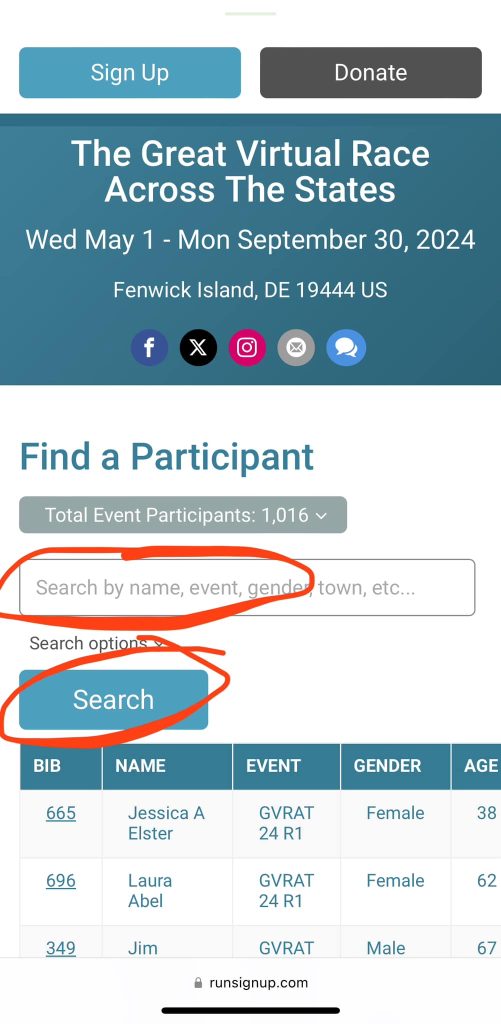
Type your name and hit search
-
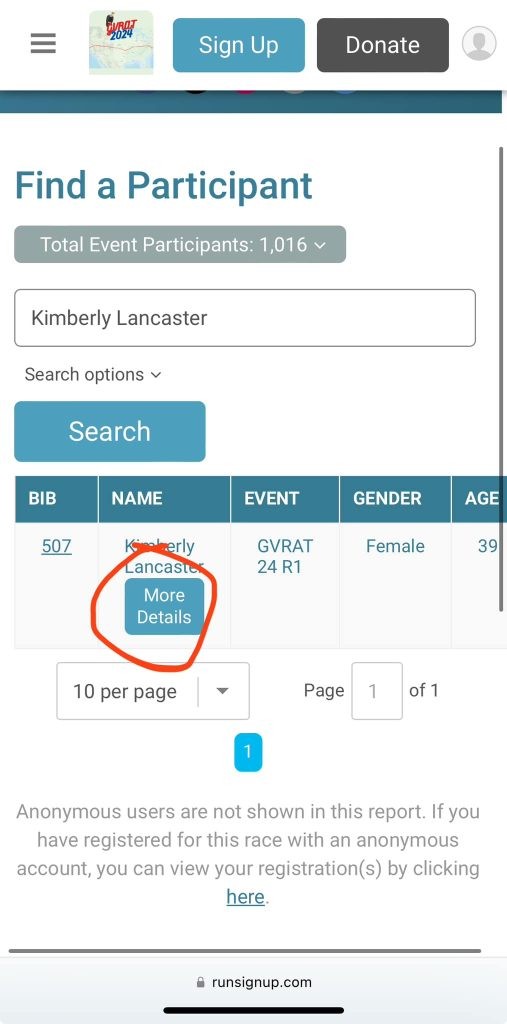
Click on More details under your name
-
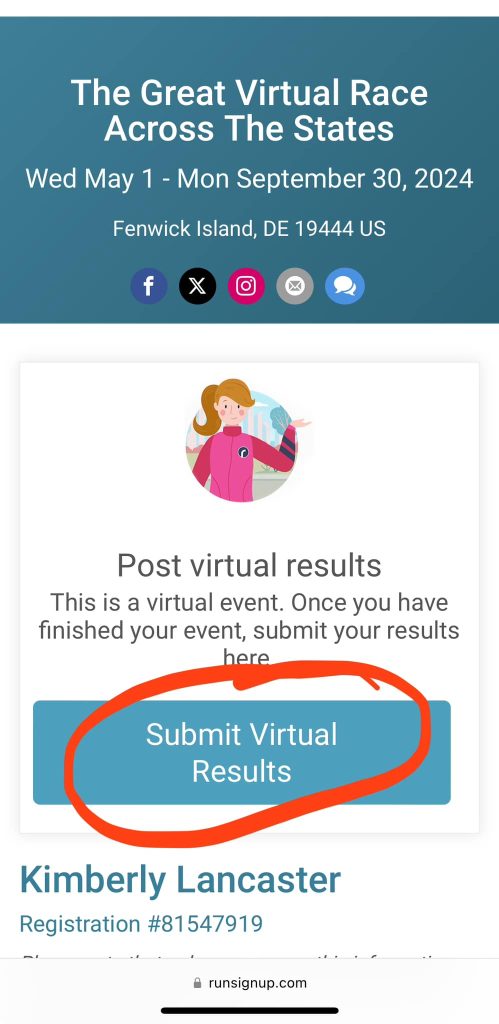
Click Submit Virtual Results
-
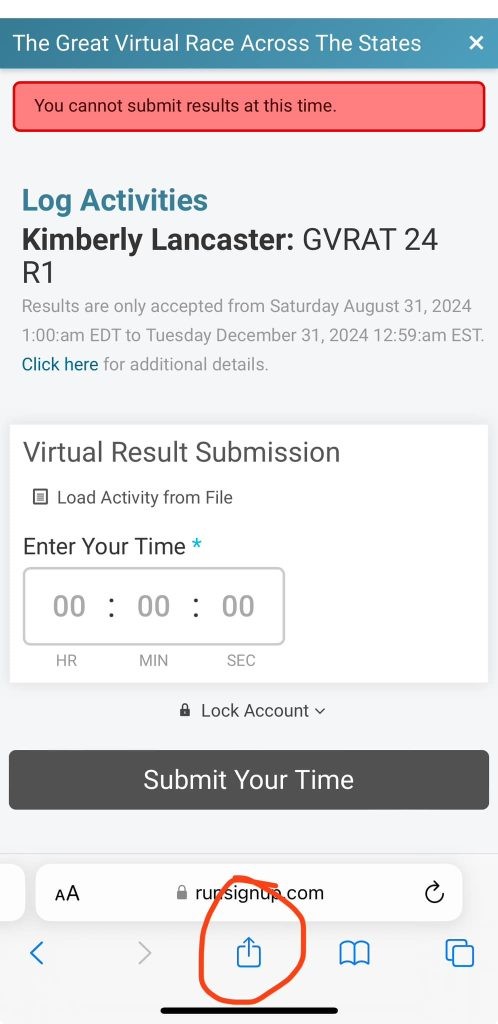
Click on the Share button highlighted
-
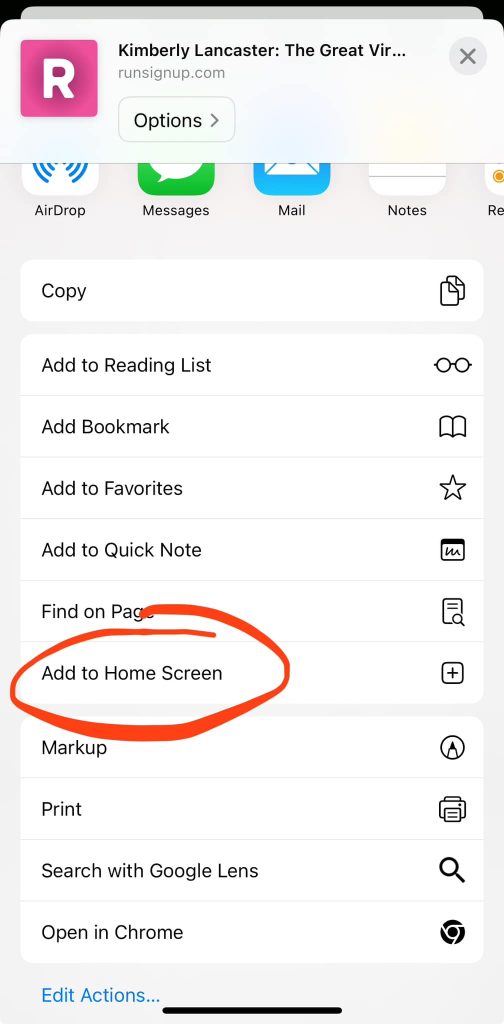
Choose ‘Add to Home Screen’
-
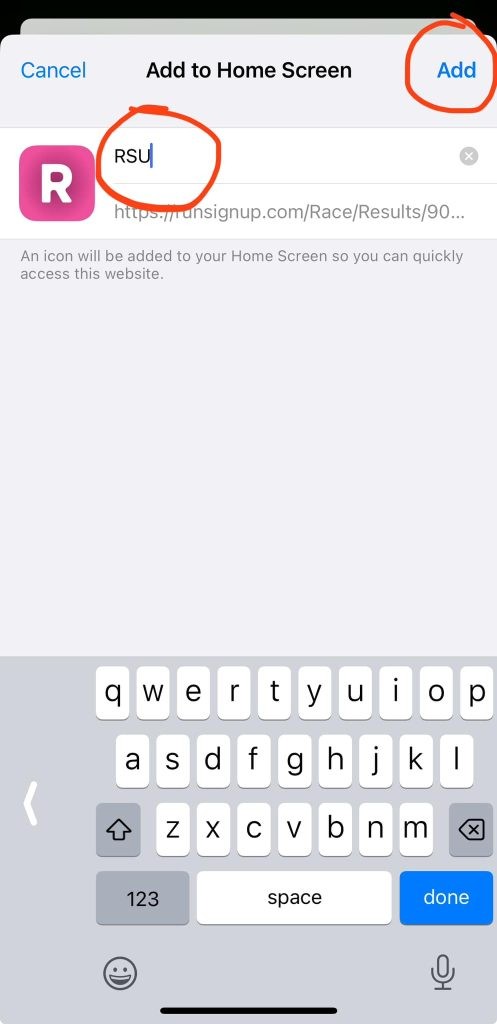
Name your App and Click Add
-
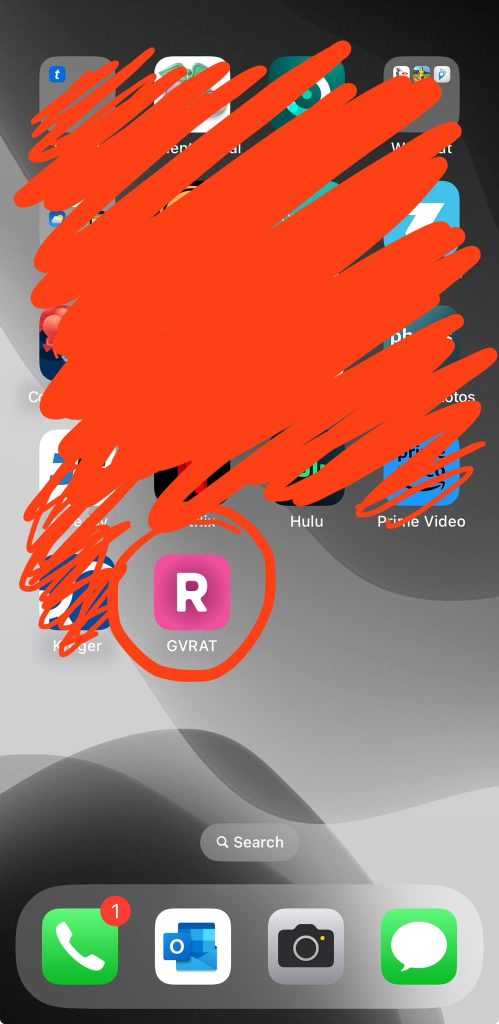
The App will appear on your phone
For Android – It’s the same process as above except for the steps below
-
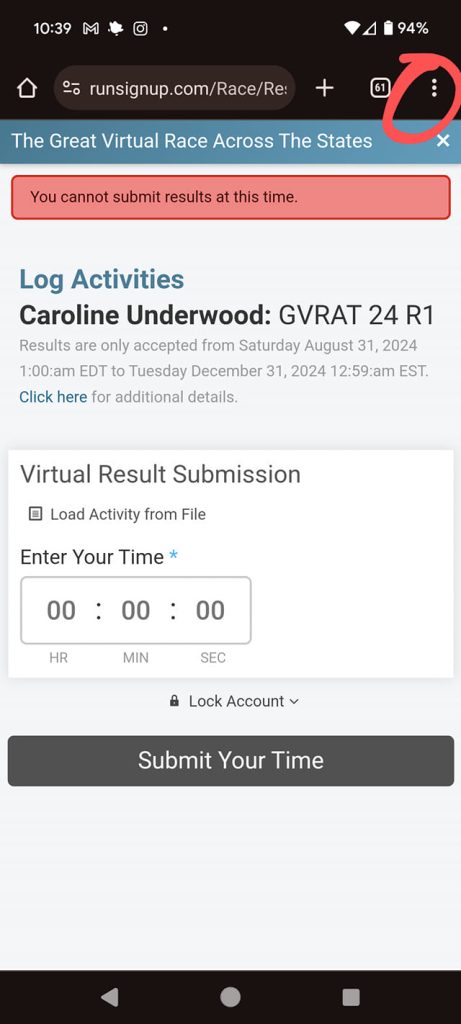
Click the Three dots at the top right corner
-
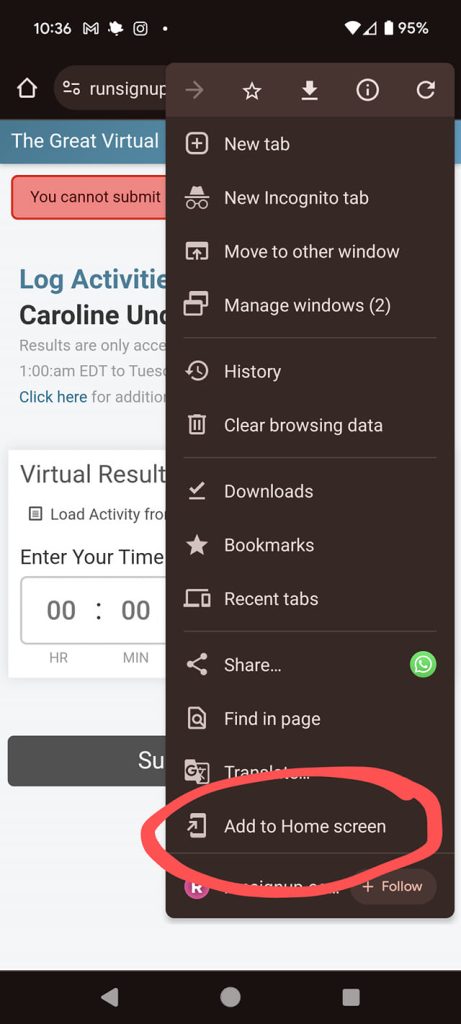
Select ‘Add to Home Screen’